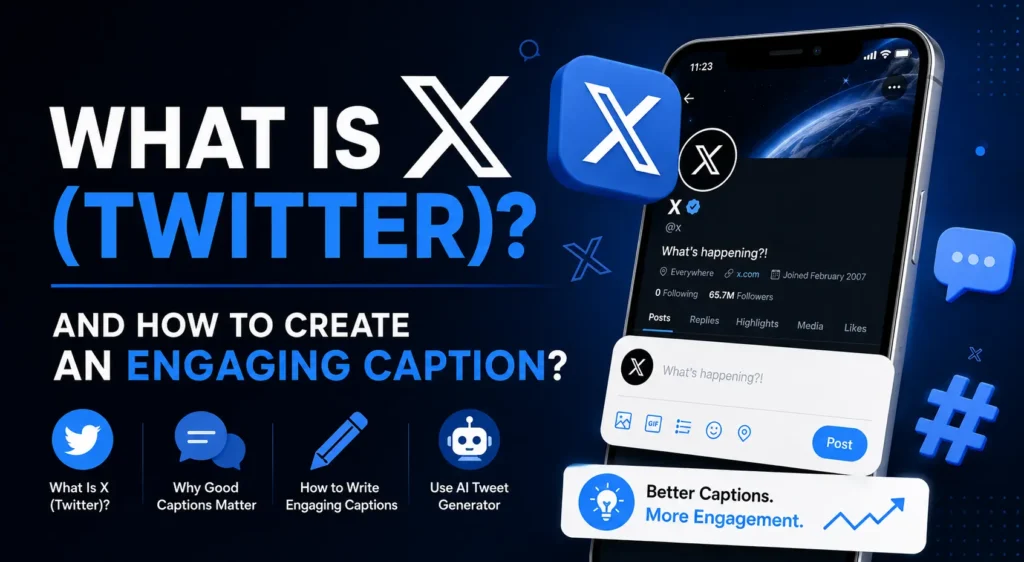
X, formerly known as Twitter, is a social platform built around short posts, conversations, news, opinions, links, images, videos, polls, and real-time discussions. For businesses, creators, marketers, and everyday users in the United States, X can be useful for sharing ideas, building an audience, joining conversations, and promoting content.
But creating a good post is not always easy. You may have a strong idea but struggle to turn it into a short, interesting caption. That is where a tweet generator or X caption tool can help you turn a basic topic into a starting point for a social post.
This guide explains what is Twitter, what is X, how X posts work, and how to create captions that are clear, relevant, and engaging.
What Is Twitter?
Twitter was a social media platform known for short text-based messages called tweets. Users could publish updates, follow other accounts, reply to posts, share content, and participate in public conversations.
Twitter was officially rebranded as X, although many people still use the word “Twitter” and “tweet” when talking about the platform. Today, X describes its content as posts rather than tweets. X’s own glossary defines X as an information network built around short messages that can include photos, videos, and links.
So if someone searches for what is Twitter, they are usually looking for an explanation of the platform that is now called X.
What Is X?
X is the current name of the platform formerly known as Twitter. It allows people to publish posts, interact with other users, follow accounts, share media, participate in conversations, and discover topics through search and trends.
A standard X post can contain text, photos, GIFs, videos, and links. X currently describes regular posts as having a 280-character limit, while X Premium subscribers can create longer posts.
This character-focused format makes concise writing especially important. Instead of writing several paragraphs before reaching the main point, an effective X caption should communicate its idea quickly.
What Can You Share on X?
Depending on the type of post, you can use X to share:
- Short opinions and observations
- News and updates
- Blog or website links
- Product announcements
- Images and GIFs
- Videos
- Questions for your audience
- Polls
- Threads
- Replies and conversations
X also supports polls with up to four choices, allowing users to ask questions and collect responses directly on the platform.
What Is a Tweet Generator?
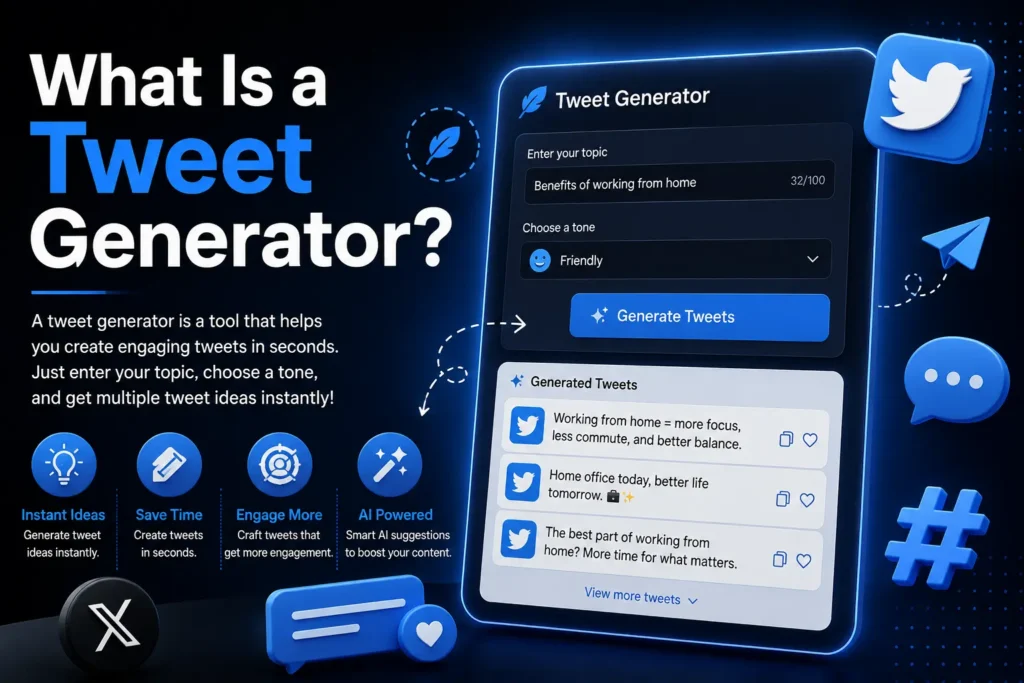
A tweet generator is a writing tool designed to help users create ideas or draft short posts for Twitter/X. Instead of starting with a blank text box, you provide a topic, product, idea, or message and use the generated suggestions as a starting point.
For example, suppose you want to post about working from home.
Instead of writing:
Working from home is good.
A generator might help you develop a more engaging direction:
Remote work isn’t just about working from your couch. It’s about designing a workspace that helps you focus.
The second version gives readers a clearer idea and a reason to continue reading.
A generator should not replace your judgment. The strongest approach is to use the output as a draft, then adjust the wording, facts, tone, and details to match your own voice.
How to Create an Engaging X Caption
Creating a useful caption does not require complicated copywriting techniques. Start with the purpose of the post and then make the wording specific.
1. Start With One Clear Idea
A common mistake is trying to communicate several unrelated ideas in one short post.
Instead, choose one main purpose:
- Share an opinion
- Ask a question
- Announce something
- Teach a quick tip
- Introduce a product
- Share an experience
- Encourage discussion
For example:
Weak: “Here are some things about SEO, websites, content, keywords, and social media.”
Stronger: “Your SEO strategy gets easier when you know which keywords your audience actually searches for.”
The second caption has a clear focus.
2. Put the Main Point Early
People scroll quickly through social feeds. Your opening words should make the subject obvious.
Instead of:
“After spending several weeks working on our latest project, we learned a few interesting things…”
Try:
“Three things we learned while building our latest website…”
The second version gets to the point faster.
3. Write Like a Person
An engaging caption should sound natural rather than like a collection of keywords.
Avoid forcing phrases such as:
“best AI tweet generator free Twitter generator tool.”
Instead, write naturally:
“Need a better idea for your next X post? Start with the topic, then build the caption around one clear message.”
Search terms can help you understand what people are looking for, but the actual caption should be written for humans.
4. Use Questions When a Conversation Makes Sense
Questions can give people a simple reason to respond.
For example:
“What is one SEO task you wish you could automate?”
This is more conversational than:
“SEO automation is useful.”
However, don’t add a question simply to make every post look interactive. The question should be relevant and easy to answer.
5. Add Specific Details
Specific writing is usually more useful than vague writing.
Compare:
“These tips can improve your social media.”
with:
“Before publishing an X post, remove unnecessary words and make the first sentence communicate the main idea.”
The second statement gives the reader something practical.
How an AI Tweet Generator Can Help
An AI tweet generator can be useful when you know what you want to say but need help developing the wording.
For example, you could enter:
Topic: New website launch Tone: Professional Goal: Encourage people to visit the website
The tool can then provide several possible directions.
You can choose the strongest idea and personalize it before publishing.
AI can be particularly useful for:
- Generating first drafts
- Creating multiple caption ideas
- Experimenting with different tones
- Turning a long idea into a short post
- Creating question-style openings
- Developing thread starters
The important part is editing the generated result. Check the facts, remove generic wording, and add details that make the post genuinely yours.
What Is a Twitter TXT Generator?
A twitter txt generator may refer to a tool that generates text intended for Twitter/X posts. The terminology varies between tools, but the basic purpose is similar: help users turn an idea into usable social media copy.
If your goal is specifically to create a short caption for X, an X-focused caption generator is generally more relevant than a generic text generator because the writing can be shaped around the platform’s format.
Tweet Caption Generator vs. X Caption Generator
You may also see terms such as tweet caption generator, X caption generator, and AI Twitter Caption Generator.
These terms generally describe tools that help generate short social media captions for the same platform, even though the terminology reflects the transition from Twitter to X.
A useful generator should help you create text that is:
- Relevant to your topic
- Easy to understand
- Appropriate for your audience
- Concise
- Suitable for your chosen tone
- Easy to edit before publishing
Try the X Caption Generator on Rapid Tool Plus
How to Use an X Caption Generator
A good workflow is simple.
Step 1: Enter Your Topic
Start with the actual subject of your post.
For example:
“5 beginner SEO mistakes”
Specific input usually produces more useful ideas than something vague like “SEO.”
Step 2: Choose a Tone
Think about how you want the post to sound.
Possible directions include:
- Professional
- Friendly
- Educational
- Witty
- Direct
- Conversational
Step 3: Review Multiple Ideas
Don’t automatically publish the first generated caption. Compare several options and identify the one that best communicates your actual message.
Step 4: Personalize the Draft
Add your own wording, examples, experience, or relevant details.
This is especially important when using an AI Twitter Caption Generator. AI-generated text should be treated as a starting point rather than automatically publishing everything exactly as generated.
Step 5: Check Before Publishing
Before posting, ask:
- Is the information accurate?
- Does the caption sound natural?
- Is the main point clear?
- Is the wording unnecessarily long?
- Does it match the attached image or link?
- Does the question actually make sense if you ask one?
Best Practices for X Captions
A strong caption does not need to be complicated. Keep these practical principles in mind:
Lead with the idea. Don’t bury the point.
Be specific. Replace vague claims with useful details.
Keep the tone consistent. A professional announcement should not suddenly sound like an unrelated meme.
Use hashtags selectively. X says hashtags can help categorize posts and recommends no more than two as a best practice.
Use media when it adds value. X supports photos, GIFs, and videos within posts.
Edit AI-generated text. Make sure the final post reflects your own voice.
Don’t chase engagement at any cost. A misleading question or exaggerated claim may attract attention but can reduce trust.
Example X Captions
Here are a few original examples showing different approaches.
Educational
“SEO gets easier when you stop guessing what people want and start researching what they actually search for.”
Question-Based
“What’s the hardest part of SEO for you: keyword research, content, or technical optimization?”
Product Announcement
“We just launched a simpler way to turn your topic into an X caption. Enter an idea, choose a style, and edit the result before posting.”
Short Opinion
“Good social media copy doesn’t need more words. It needs a clearer idea.”
Thread Opener
“Before you publish your next X post, check these five things. They take less than a minute.”
Common X Caption Mistakes
Making Every Caption Generic
Phrases such as “Here are some amazing tips” don’t tell the reader much.
Make the opening specific.
Stuffing Keywords
Using every variation of a keyword in one caption can make the writing look unnatural. Keywords are useful for understanding topics, but captions should remain readable.
Overusing Hashtags
More hashtags don’t automatically make a post better. Use relevant hashtags only when they genuinely help categorize the content.
Publishing AI Output Without Editing
Generated text can contain awkward phrasing, incorrect information, or a tone that doesn’t match your account. Always review it.
Making Unsupported Claims
Avoid statements such as “This strategy guarantees viral posts” or “This tool will make every post successful.” Social media performance depends on many factors, including the topic, audience, timing, content quality, and context.
Rapid Tool Plus for Social Media Content Creation
Rapid Tool Plus provides a collection of online tools designed to help creators and marketers with everyday content tasks. Its services include a Meta Title Generator, Meta Description Generator, Keyword Generator, Tag Generator, YouTube Title Generator, YouTube Description Generator, YouTube Hashtag Generator, YouTube Tag Generator, Instagram Hashtag Generator, Instagram Caption Generator, Instagram Bio Generator, TikTok Hashtag Generator, TikTok Caption Generator, Facebook Tag Generator, Facebook Caption Generator, X Tag Generator, X Caption Generator, LinkedIn Headline Generator, LinkedIn Post Generator, Pinterest Tag Generator, Pinterest Description Generator, Calculator, BMI Calculator, Loan Calculator, and Profit Calculator. If your immediate goal is creating captions for X, the dedicated X-focused caption tool can turn a topic into witty, straightforward, or question-style caption ideas and shows character counts so you can review the length before publishing.
Final Takeaway
Understanding what is X is simple: it is the platform formerly known as Twitter, where people share short posts and participate in public conversations. The platform supports text, images, videos, links, polls, replies, and longer posts for eligible Premium users.
Creating an engaging caption is less about adding more words and more about communicating one clear idea. Start with a strong point, use specific language, write naturally, and give readers a genuine reason to continue reading or respond.
If you regularly struggle with the blank page, a tweet generator, AI tweet generator, or dedicated X caption generator can help you create a first draft faster. Use the generated result as a starting point, personalize it, verify the information, and then publish a caption that actually sounds like you.
Frequently Asked Questions
What is Twitter now called?
Twitter is now called X. Many people still use the terms Twitter and tweet because those names remain familiar.
What is X used for?
X is used for sharing text, images, videos, links, polls, opinions, updates, and conversations with other users.
What is a tweet generator?
A tweet generator is a tool that helps create draft ideas or text for Twitter/X posts based on a topic, tone, or goal.
Is an AI tweet generator useful for beginners?
Yes. It can help beginners overcome the blank-page problem and generate different ways to express an idea. However, the final caption should be reviewed and personalized before publishing.
What is an X caption generator?
An X caption generator creates short caption ideas specifically for X posts. For example, Rapid Tool Plus’s X Caption Generator provides witty, straightforward, and question-style options based on the topic you enter.
Can I use a free AI caption generator for X?
Yes. A free AI caption generator can be used as a starting point for creating social media copy. The quality of the final post still depends on your topic, input, editing, and audience.