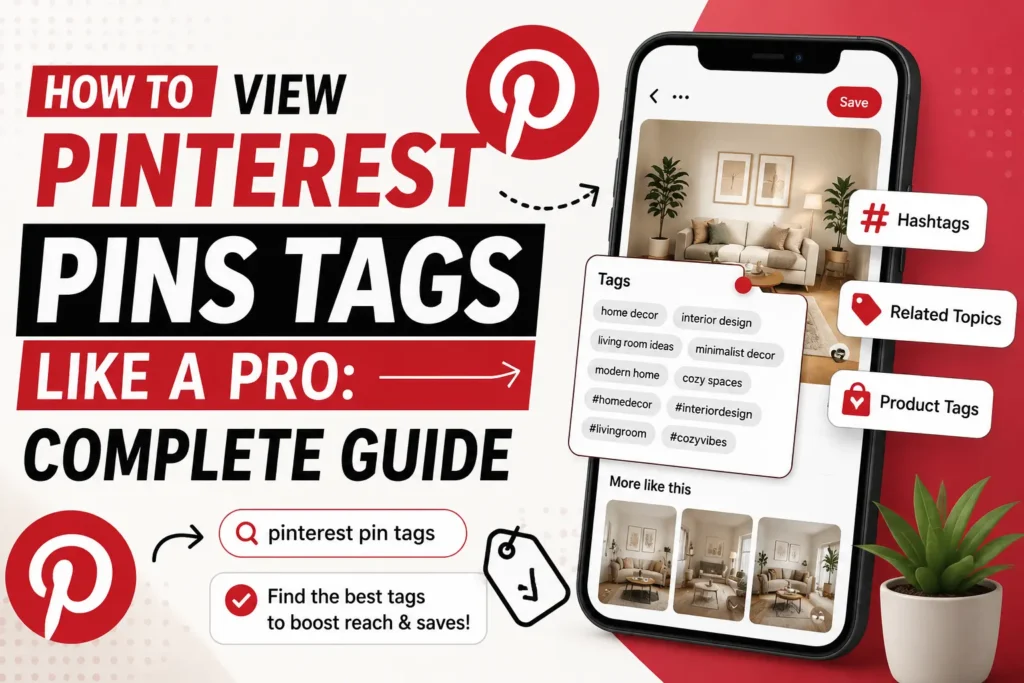
Pinterest is more than a platform for saving attractive images. It is also a visual discovery engine where people search for recipes, fashion ideas, home projects, products, travel inspiration, tutorials, and much more. Because of that, understanding Pinterest tags, hashtags, related topics, and product tagging can make it much easier to organize and describe your Pins clearly.
One important point is that the phrase “Pinterest tag” can mean different things. Pinterest currently gives creators several ways to add context to a Pin, including keywords in the title and description, hashtags in descriptions, related-topic tags, and product tags. Pinterest’s own publishing instructions also show that creators can add up to 10 related topics to a Pin.
This guide explains how to view Pinterest Pins tags, what Pinterest hashtags are, how product tagging works, where tags belong, and how to choose relevant phrases without overloading your content.
What Does “Pinterest Tag” Mean?
A Pinterest tag is not always a single feature with one definition.
Depending on what you are trying to accomplish, it can refer to:
- A keyword or phrase used to describe a Pin
- A hashtag such as #homedecor
- A related topic selected while publishing a Pin
- A product attached to a Pin for shopping
- A keyword used in a board title or description
Pinterest itself lets creators add a Pin title, description, link, board, and up to 10 related topics when publishing content. Hashtags can also be included in a Pin description.
That distinction matters because hashtags, related topics, and product tags are not interchangeable.
For example, a Pin about a small kitchen makeover might contain:
Title:
Small Kitchen Organization Ideas for 2026
Description:
Simple storage ideas for small kitchens, including cabinet organization, counter-saving solutions, and practical kitchen decor inspiration. #kitchenorganization #smallkitchen
Related topics:
Kitchen organization, home organization, kitchen decor
Product tags:
Specific products shown in the image, when appropriate
Each element provides context in a different way.
Does Pinterest Use Hashtags?
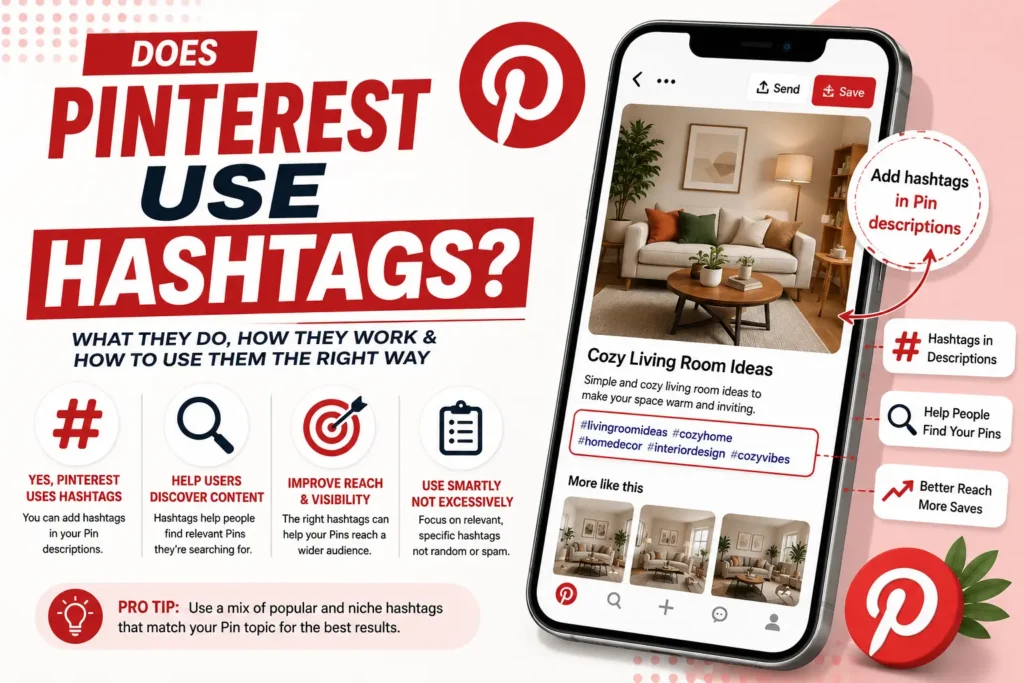
Yes. Pinterest allows hashtags in Pin descriptions. Its current help documentation specifically notes that descriptions can include hashtags.
However, that does not mean a Pin should be treated exactly like an Instagram or TikTok post.
Pinterest is heavily focused on visual discovery. People search for ideas, open Pins, save them, and follow links to learn more. Pinterest describes Pins as visual bookmarks that people can search, save, and click to explore further.
That means your content should make sense without depending entirely on hashtags.
A better approach is to make the topic obvious through your Pin title and description first, then use relevant hashtags or related topics as supporting context.
Example
Weak approach:
#home #decor #style #ideas #beautiful #trending #viral
This gives very little information about the actual Pin.
Better approach:
Title: Small Bedroom Storage Ideas for Apartments
Description: Discover practical small bedroom storage ideas for apartments, including under-bed storage, wall shelves, and space-saving furniture. #bedroomorganization #smallbedroom
The second example gives Pinterest and the reader much more useful context.
What Are Pinterest Related Topics?
One of the most useful features to understand is Tag related topics.
When creating a Pin, Pinterest allows creators to add up to 10 related topics. These topics help describe what the content is about and can help people searching for similar ideas discover the Pin.
Think of related topics as structured context rather than ordinary hashtags.
For a Pin about a healthy-looking dinner recipe, related topics might include:
- Dinner recipes
- Easy recipes
- Weeknight meals
- Healthy cooking
- Meal ideas
The topics should closely match the actual content.
Do not select unrelated topics merely because they appear popular. A misleading topic can create a poor experience for users who expect the Pin to match their search.
How to View Pinterest Pins and Their Tags
If you are researching Pinterest content, you may want to examine existing Pins before creating your own.
A practical process is:
1. Search for the main subject
Start with a specific search phrase rather than something extremely broad.
For example:
“small living room ideas”
instead of:
“home”
Specific searches make it easier to understand what kinds of Pins Pinterest is presenting for that subject.
2. Open several relevant Pins
Do not analyze just one result.
Open multiple Pins that are closely related to your topic and look for repeated language in:
- Pin titles
- Pin descriptions
- Board names
- Hashtags
- Related subjects or topics
- Product references when applicable
You are looking for patterns, not copying individual creators.
3. Identify recurring topic phrases
Suppose you are researching “home office ideas” and repeatedly see phrases such as:
- home office setup
- small home office
- workspace ideas
- desk organization
- office decor
These phrases can help you understand the vocabulary users commonly associate with the subject.
4. Compare the wording with the actual image
This is an important step.
If an image shows a minimalist desk setup, the description should talk about a minimalist workspace rather than unrelated topics simply because they are popular.
Pinterest’s own publishing workflow asks creators to provide information describing the Pin, and related topics should logically correspond with the content.
5. Separate keywords from hashtags
A phrase such as:
small bedroom ideas
is a keyword phrase.
A phrase such as:
#smallbedroom
is a hashtag.
Both can be useful, but they serve different purposes and should not be treated as identical.
Pinterest Hashtags vs. Pinterest Tags
These terms are often confused.
| Feature | Example | Main Purpose |
| Keyword phrase | small bedroom ideas | Describe the subject |
| Hashtag | #smallbedroom | Add hashtag context |
| Related topic | Bedroom organization | Categorize the Pin with a topic |
| Product tag | Specific lamp or chair | Connect a product with the Pin |
Pinterest supports product tagging as a separate feature. For organic Pins, creators can search existing product Pins or use a product-page link when adding products.
Understanding these differences makes Pinterest content planning much easier.
How to Choose Hashtags for Pinterest
The best hashtags for Pinterest are directly connected to the Pin.
Suppose your Pin is about:
Easy Summer Dinner Recipes
Potential hashtags could include:
- #summerrecipes
- #dinnerrecipes
- #easyrecipes
- #mealideas
The goal is relevance, not quantity.
Avoid adding unrelated hashtags such as #travel or #fashion simply because those subjects are popular.
Use Specific Phrases
Compare:
#food
with:
#easydinnerrecipes
The second hashtag tells the user much more about the content.
Match the Image
If the image shows a living room, your terms should describe living rooms, interiors, furniture, styling, organization, or another genuinely related subject.
Keep the Description Natural
Do not turn the description into a keyword list.
Write for a person first, then add relevant search language naturally.
What Is Product Tagging on Pinterest?
Product tagging is different from ordinary Pinterest hashtags or related topics.
Pinterest allows creators to tag products in Pins so that users can discover products associated with the content. Pinterest’s current guidance says products can be selected from existing product Pins or added using a product-page link, depending on the publishing workflow.
For example, imagine you publish a Pin showing a home office setup.
You might tag:
- Desk
- Office chair
- Desk lamp
- Monitor stand
The product tags should correspond to the products actually relevant to the Pin.
Pinterest also states that product Pins can direct shoppers to a retailer’s website, while creators can use product tags to share products in Pins.
How to Use Pinterest Tags for Better Pin Organization
A strong Pinterest workflow usually starts with the topic rather than the tag.
Use this sequence:
Topic → Keyword phrases → Pin title → Description → Related topics → Optional hashtags → Product tags
For example:
Topic: Small balcony garden
Keyword phrases:
- balcony garden ideas
- small garden ideas
- apartment gardening
- container gardening
Pin title:
Small Balcony Garden Ideas for Apartments
Description:
Make the most of a small outdoor space with balcony garden ideas using containers, vertical planters, and compact plants.
Related topics:
Balcony gardening, container gardening, apartment gardening
Optional hashtags:
#balconygarden #containergardening
This creates a consistent description of the same subject instead of using disconnected tags.
Can a Pinterest Hashtag Generator Help?
Coming up with relevant variations for every Pin can take time, especially when you publish frequently. A Pinterest hashtag generator or Pinterest pins tag generator can help brainstorm related keyword phrases and hashtags from a specific topic.
For example, instead of manually starting from zero for a topic like:
“small bedroom decor”
a generator can help you explore variations such as:
- small bedroom decor ideas
- bedroom organization
- small-space bedroom
- minimalist bedroom
- apartment bedroom ideas
The important part is still human review. A generated tag is only useful when it accurately describes the Pin.
Rapid Tool Plus for Pinterest Tags and Related Content Tools
For creators who want to speed up the research process, Rapid Tool Plus provides free online generators designed for content and social publishing tasks. Its Pinterest Tag Generator can generate topic-based Pinterest keywords and hashtags, while the platform also includes tools such as a free meta title generator, meta description generator, keyword generator, tag generator, YouTube title generator, social media hashtag and caption generators, plus everyday calculators. The Pinterest tool is designed around entering a real topic and generating related phrases rather than relying on one generic list.
Common Pinterest Tagging Mistakes
Using Only Broad Hashtags
Terms such as #ideas, #style, or #home may be too broad on their own.
Combine broader concepts with more specific descriptions.
Repeating the Same Phrase Everywhere
Using the exact same keyword in every field can make your content feel unnatural.
Use close variations when they genuinely describe the same subject.
Using Unrelated Tags
A popular tag is not automatically a useful tag.
Every phrase should have a clear relationship to the Pin.
Ignoring the Pin Title and Description
Hashtags should not replace clear writing.
Pinterest’s publishing interface specifically asks creators to provide titles and descriptions alongside other Pin information.
Confusing Product Tags With Hashtags
A product tag connects a product with a Pin. A hashtag is a text-based hashtag in the description. These are separate functions.
Copying Another Creator’s Tags
Research can help you understand a topic, but copying another person’s exact wording is not a substitute for writing an accurate description of your own Pin.
Practical Tips for Better Pinterest Tag Research
Before publishing a Pin, ask yourself:
- What exactly is this Pin about?
- What phrase would a person use to search for it?
- Does the title describe the actual content?
- Does the description add useful context?
- Are my related topics genuinely relevant?
- Are my hashtags specific rather than random?
- Am I using product tags only when products are relevant?
- Would a reader understand the Pin without seeing my hashtags?
It is also useful to study Pinterest Trends when researching subjects with seasonal or changing interest. Pinterest provides a Trends resource for discovering what is popular in a region and identifying relevant search terms.
Final Takeaway
Knowing how to view Pinterest Pins tags is really about understanding how Pinterest describes and organizes content. A Pin can contain several types of contextual information, including titles, descriptions, hashtags, related topics, and product tags.
The best strategy is not to fill every available field with as many terms as possible. Instead, make every element support the same clear topic.
Start with a specific subject, write a descriptive Pin title, create a useful description, choose closely related topics, and use hashtags selectively. For shopping content, add product tags only when they genuinely match the products shown or discussed.
When you need help brainstorming related phrases, a Pinterest tag generator can speed up the process, but your final selection should always reflect the actual Pin.
Frequently Asked Questions
Does Pinterest use hashtags?
Yes. Pinterest allows hashtags in Pin descriptions. However, hashtags should support the description rather than replace clear topic-focused writing.
What is a Pinterest tag?
The term can refer to several things, including keyword phrases, hashtags, related topics, or product tags. Pinterest specifically offers a “Tag related topics” option and supports product tagging as separate features.
How many related topics can I add to a Pinterest Pin?
Pinterest’s current creation instructions allow up to 10 related topics on a Pin.
Are Pinterest hashtags the same as product tags?
No. Hashtags are text-based hashtags that can be placed in a Pin description, while product tags connect products with Pins for shopping-related discovery.
Can a Pinterest hashtag generator guarantee more views?
No. A generator can help you brainstorm relevant phrases and hashtags, but no tagging tool can guarantee views, engagement, or viral reach.
Is Pinterest social media or a search engine?
Pinterest combines social features with visual discovery and search. Users search for ideas, save Pins, follow accounts and boards, and click through to websites. Pinterest itself describes Pins as visual bookmarks that people search and save.