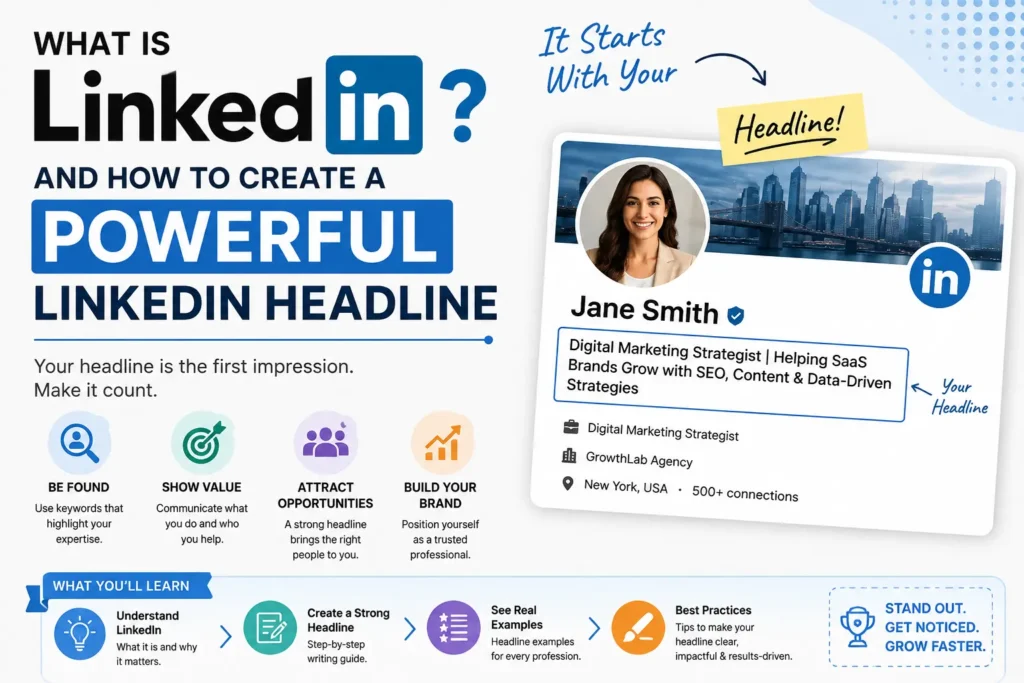
A LinkedIn profile is more than an online résumé. It is a professional identity that can help you connect with colleagues, recruiters, clients, employers, and people in your industry. LinkedIn describes itself as a professional network where members can build relationships, find career opportunities, develop skills, share content, and participate in professional conversations.
One of the first things people notice on a profile is the LinkedIn headline. It appears directly below your name and can communicate your role, expertise, audience, or professional value before someone reads the rest of your profile. LinkedIn itself describes the headline as text below your name that can be used to show or promote an area of expertise.
That makes your headline an important piece of profile positioning. A generic line such as “Marketing Professional” tells people very little. A more specific headline can explain what you do, who you help, and what area you specialize in.
This guide explains what is LinkedIn, what a LinkedIn headline is, how to write one, the LinkedIn headline character limit, and practical headline for LinkedIn examples for different professional situations.
What Is LinkedIn?
LinkedIn is a professional networking platform designed around careers, businesses, employment, knowledge sharing, and professional relationships.
You can use LinkedIn to:
- Create a professional profile
- Connect with colleagues and industry professionals
- Follow companies and creators
- Search for jobs and internships
- Communicate with professional contacts
- Share posts, articles, images, and videos
- Participate in professional groups and conversations
- Research companies, industries, and career opportunities
LinkedIn’s own guidance says a complete profile can showcase your experience, education, skills, interests, and professional story. The platform can also be used for networking, job searching, content publishing, and professional learning.
Your profile therefore works like a combination of a professional introduction, networking card, and searchable identity.
Why Your LinkedIn Profile Matters
People may discover your profile without knowing you personally. A recruiter may find you while searching for candidates. A potential client may see your name after reading one of your posts. A professional may click your profile after seeing your comment.
In those situations, your profile needs to communicate your professional identity quickly.
That is where the headline becomes especially useful.
What Is a LinkedIn Headline?
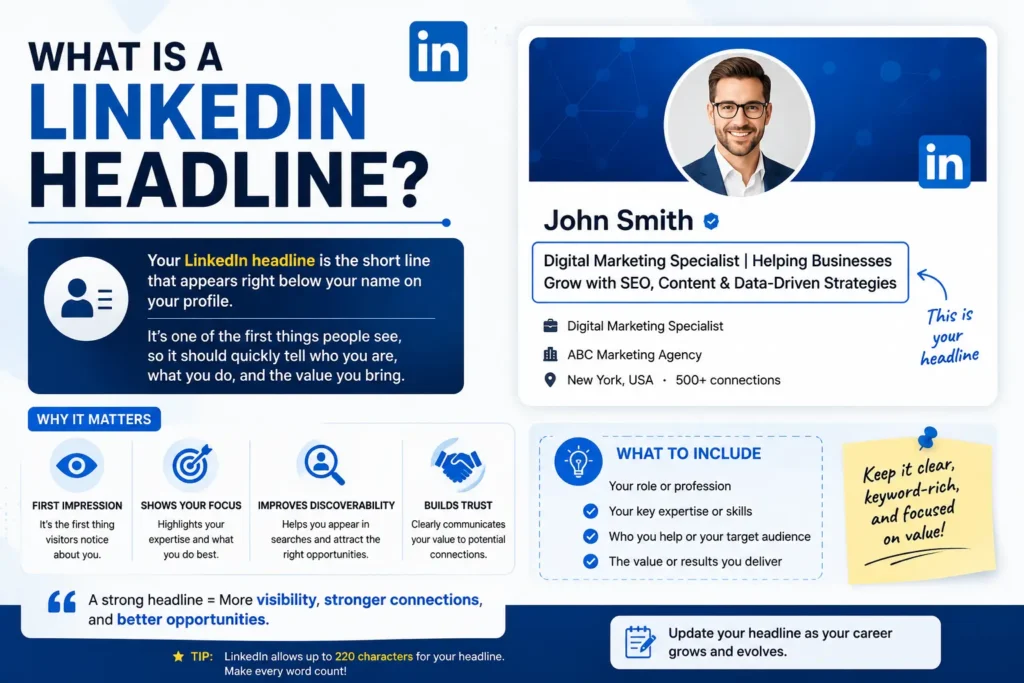
A LinkedIn headline is the short text displayed directly underneath your name in the introduction section of your profile.
It does not have to be identical to your current job title.
LinkedIn explicitly allows members to edit their professional headline separately from their current position. The headline can be used to highlight professional status or an area of expertise.
For example:
Basic headline:
Marketing Manager at ABC Company
More descriptive headline:
B2B Marketing Manager | Helping SaaS Brands Turn Content Into Qualified Pipeline
The second version gives a reader more context. It communicates the role, specialization, and intended value.
A strong headline should answer at least one important question quickly:
What do you do?
Ideally, it should also help answer:
Who do you help?
and
What are you known for or trying to achieve?
LinkedIn Headline Character Limit
The current LinkedIn headline limit is 220 characters. Rapid Tool Plus also identifies 220 characters as the maximum allowed length for the headline field.
However, having 220 available characters does not mean you should fill all of them with unnecessary words.
Your most important information should appear early.
This is particularly important because LinkedIn displays profile information differently across parts of the platform. Rapid Tool Plus recommends placing the key phrase within roughly the first 120 characters so the core message is less likely to be hidden in search and list-style contexts.
Think of the 220-character limit as available space, not a target.
What Makes a Good LinkedIn Headline?
A good LinkedIn headline is specific, understandable, accurate, and relevant to the audience you want to attract.
A useful structure is:
Role + specialization + audience or outcome
For example:
SEO Specialist | Helping SaaS Companies Increase Organic Visibility Through Technical & Content SEO
This works better than:
SEO Expert for Linkedin | Digital Marketing | Freelancer
The second headline uses broad labels but does not clearly explain the person’s specialty or value.
1. Start With the Most Important Information
Do not bury your strongest keyword or professional identity at the end.
For a job seeker, the target role may deserve a prominent position.
For a freelancer, the service and audience may be more important.
For an executive, the area of leadership or business focus may matter most.
2. Use Specific Professional Terms
Instead of:
Business Professional
consider:
B2B Sales Manager | SaaS Growth | Enterprise Account Strategy
Specific terminology gives people a clearer picture of your professional focus.
3. Explain the Outcome When Appropriate
An outcome can make a headline more useful.
For example:
UX Designer | Creating Simple Digital Experiences for FinTech Products
The headline describes both the profession and the type of work.
4. Keep It Accurate
Do not add impressive claims that you cannot support.
If you are learning a skill, do not present yourself as an established authority in that field. LinkedIn’s profile guidance allows you to highlight expertise, but your headline should still reflect your actual professional identity.
Headline for LinkedIn Examples
Different professionals need different positioning. There is no single headline format that works for everyone.
LinkedIn Headline Examples for Job Seekers
Example 1
Digital Marketing Specialist | SEO, Content Strategy & Analytics | Open to Digital Marketing Opportunities
Example 2
Junior Software Developer | JavaScript, React & Node.js | Building Practical Web Applications
Example 3
Financial Analyst | Financial Modeling, Reporting & Data Analysis | Interested in FP&A Opportunities
These examples make the target professional direction easier to understand.
LinkedIn Headline Examples for Freelancers
Example 1
Freelance Copywriter | Helping SaaS Brands Turn Complex Ideas Into Clear, High-Converting Content
Example 2
Freelance Web Designer | Conversion-Focused Websites for Small Businesses & Startups
Example 3
SEO Consultant | Technical SEO, Content Strategy & Local Search for Growing Businesses
A freelancer can use the headline to explain both the service and the type of client they serve.
LinkedIn Headline Examples for Recruiters
Example 1
Technical Recruiter | Connecting Software Engineers With High-Growth Technology Companies
Example 2
Talent Acquisition Partner | Hiring Engineering & Product Teams Across North America
Recruiters benefit from clarity because candidates and employers need to understand their area of focus quickly.
LinkedIn Headline Examples for Students
A student does not need to pretend to have years of experience.
Example 1
Computer Science Student | Python, Data Analysis & Web Development | Seeking Software Engineering Internship
Example 2
Marketing Student | Content Strategy & Social Media | Building Practical Digital Marketing Experience
This approach focuses on skills, interests, and professional direction.
LinkedIn Headline Examples for Business Owners
Example 1
Founder at GrowthLab | Helping Small Businesses Build Scalable Customer Acquisition Systems
Example 2
E-commerce Founder | Building Customer-Focused Brands Through Product, Content & Retention Strategy
The goal is to tell visitors what the business owner actually does rather than simply writing “Founder & CEO.”
How to Write a LinkedIn Headline Step by Step
Creating a strong headline becomes easier when you break it into a few decisions.
Step 1: Identify Your Professional Role
Start with the role you currently hold or are realistically targeting.
Examples:
- Product Manager
- Graphic Designer
- SEO Specialist
- Recruiter
- Software Engineer
- Career Coach
- Sales Manager
Step 2: Add Your Core Specialty
What specific area do you work in?
For example:
Product Manager | B2B SaaS
or:
Graphic Designer | Brand Identity & Visual Systems
Step 3: Identify Your Audience
Who do you help?
Examples:
Helping startups…
Working with SaaS founders…
Supporting nonprofit organizations…
Helping local businesses…
Step 4: Add the Outcome
What do you help that audience accomplish?
For example:
Helping SaaS teams turn product launches into predictable demand
Step 5: Edit for Clarity
Remove empty phrases.
Words such as “passionate,” “hardworking,” or “results-driven” may sound positive, but they often communicate less than a specific skill, audience, or outcome.
Instead of:
Passionate and Results-Driven Marketing Professional
try:
B2B Marketing Manager | Content Strategy, SEO & Demand Generation
The second version provides information instead of adjectives.
Headline Samples for LinkedIn by Career Goal
Your headline can change depending on what you want LinkedIn to help you accomplish.
| Goal | Useful Headline Focus |
| Find a job | Target role + key skills + specialization |
| Attract clients | Service + target audience + outcome |
| Build authority | Expertise + niche + professional focus |
| Recruit candidates | Recruiting specialty + candidate market |
| Grow a business | Company role + market + value proposition |
| Build a personal brand | Expertise + audience + distinctive focus |
This is why the best LinkedIn headlines are not necessarily the longest ones. They are the ones that make the profile’s purpose obvious.
Should Your LinkedIn Headline Include Keywords?
Relevant keywords can help describe your professional specialty and make your profile easier to understand.
For example, someone targeting SEO positions may naturally include:
SEO Specialist | Technical SEO | Content Strategy | Keyword Research
However, stuffing a headline with every possible keyword can make it difficult to read.
A better approach is to use the terms that accurately describe your role and specialization.
Rapid Tool Plus’s LinkedIn headline guide similarly recommends combining role, industry, audience, outcome, and keyword-led approaches rather than relying on a generic template.
How to Create a LinkedIn Headline From Your Existing Job Title
Suppose your current headline is:
Sales Manager at XYZ Corp
You can expand it by adding context.
Version 1: Specialty
Sales Manager | B2B SaaS | Enterprise Sales & Account Growth
Version 2: Audience
Sales Manager | Helping B2B SaaS Teams Build Strong Enterprise Pipelines
Version 3: Outcome
Sales Manager | Building Enterprise Pipelines and Long-Term Customer Growth
The right version depends on your actual responsibilities and professional goals.
Common LinkedIn Headline Mistakes
Using Only Your Job Title
“Marketing Manager” is accurate but not very descriptive.
Add relevant context where it helps.
Making It Too Generic
“Professional | Leader | Innovator | Strategist” does not tell a visitor enough about your work.
Keyword Stuffing
Do not write:
SEO | SEO Expert | SEO Specialist | SEO Consultant | SEO Services | Digital Marketing | Keywords | Backlinks
It looks unnatural and communicates little beyond repetition.
Making Unsupported Claims
Avoid statements such as:
#1 Marketing Expert in the World
unless there is a legitimate and verifiable reason to make such a statement.
Trying to Explain Everything
Your headline is not your entire résumé.
Use it as an introduction that encourages someone to understand the rest of your profile.
Can You Use Emojis in a LinkedIn Headline?
You can use symbols or emojis, but they are optional.
A simple separator such as | or · can make information easier to scan.
For example:
SEO Consultant | Technical SEO · Content Strategy · Local Search
If you use several emojis or decorative symbols, readability can suffer. A professional headline should prioritize clarity over decoration.
How Rapid Tool Plus Can Help Create LinkedIn Headlines
Writing several headline variations from scratch can take time, especially when you are trying to balance your role, keywords, audience, and professional positioning. Rapid Tool Plus provides a LinkedIn Headline Generator that asks for a job title and industry and can generate multiple headline options using outcome-led, keyword-led, and audience-led approaches. The current tool page says it produces 10 options and lets users review character length before choosing one. The wider Rapid Tool Plus collection also includes tools such as a free keyword generator, meta description generator, keyword generator, social media generators, YouTube tools, and calculators, so the platform can be useful when creating and optimizing content for different channels.
How to Choose the Best LinkedIn Headline
After creating several versions, compare them using four questions:
Is it clear?
Can someone understand what you do quickly?
Is it relevant?
Does it match the type of opportunity or audience you want?
Is it specific?
Does it provide useful information beyond your basic job title?
Is it accurate?
Does it honestly represent your background and skills?
A headline that passes all four tests is usually stronger than one that simply contains more keywords.
Final Takeaway
LinkedIn is a professional network built around relationships, careers, knowledge sharing, and professional opportunities. Your profile is your public professional identity, and the headline is one of its most visible pieces.
The current LinkedIn headline character limit is 220 characters, but the goal is not to fill every available space. Use the opening portion to communicate the most important part of your professional identity, then add relevant specialization, audience, or outcome where it genuinely improves the message.
The strongest headline is not necessarily the cleverest. It is the one that helps the right person understand who you are, what you do, and why your profile is relevant.
Frequently Asked Questions
What is a headline on LinkedIn?
A LinkedIn headline is the short text displayed below your name on your profile. It can describe your professional role, expertise, specialization, or other professional focus.
What is the LinkedIn headline character limit?
LinkedIn currently allows up to 220 characters in the professional headline field.
What should I write in my LinkedIn headline?
Start with your role or target role, then add a relevant specialty, audience, or outcome. Choose information that supports your actual professional goals.
Can my LinkedIn headline be different from my job title?
Yes. LinkedIn allows the professional headline to be edited separately from the current position listed on your profile.
What is a good LinkedIn headline for a job seeker?
A useful job-seeker headline can combine the target role, relevant skills, specialization, and job-search status. For example: “Junior Data Analyst | SQL, Excel & Power BI | Seeking Data Analytics Opportunities.”
Can I use a LinkedIn headline generator?
Yes. A headline generator can help you create variations quickly, but you should review each suggestion and personalize it so it accurately reflects your experience and goals. Rapid Tool Plus provides a LinkedIn Headline Generator for this purpose.