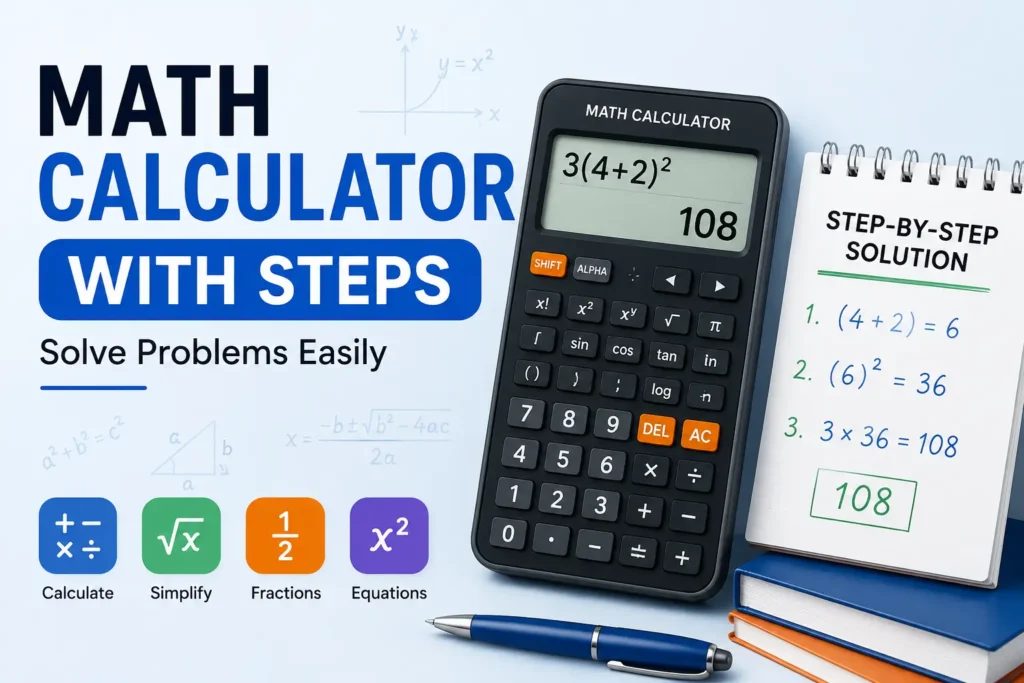
A math calculator with steps does more than return an answer. It helps you see how a problem is solved, which makes it useful for checking homework, learning a formula, verifying calculations, and finding mistakes in your own work.
Instead of entering a problem and receiving only 42, a calculator that shows work can break the calculation into smaller stages. Depending on the problem, those stages might include simplifying an expression, applying the correct order of operations, substituting values into a formula, or reducing a fraction.
This guide explains how a step-by-step math solver works, what types of problems it can handle, how to enter problems correctly, and how to use the result as a learning tool rather than simply copying the final answer.
What a Step-by-Step Math Calculator Actually Shows
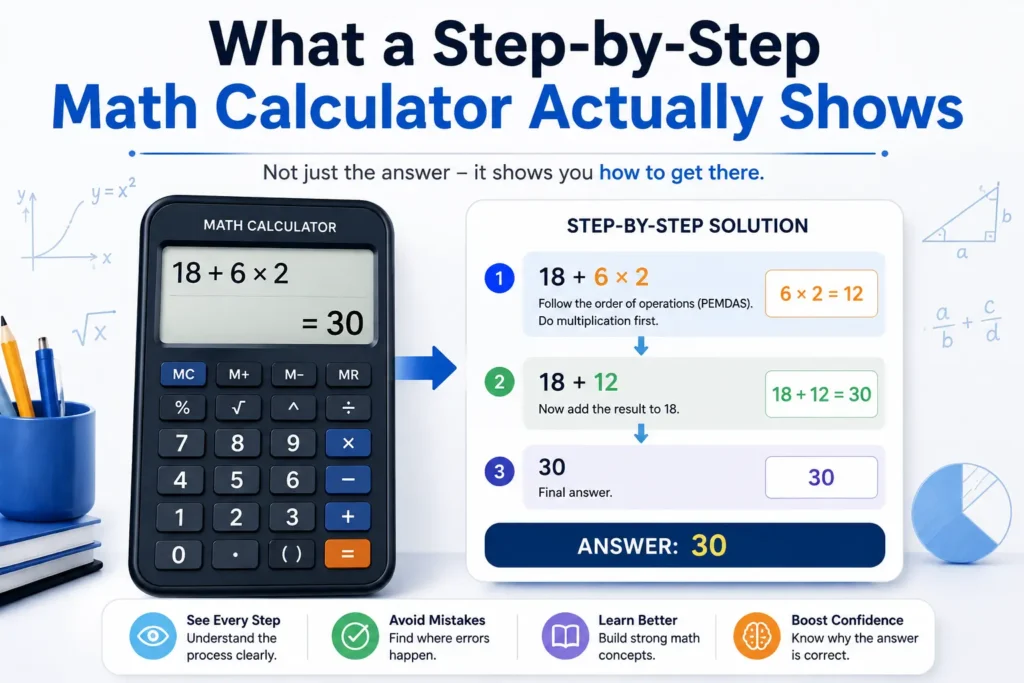
A standard calculator focuses on the result. A math calculator with solution focuses on the path to that result.
For example, consider:
18 + 6 × 2
Using the order of operations, multiplication is performed before addition:
- 6 × 2 = 12
- 18 + 12 = 30
So the answer is 30.
A calculator that shows work makes this sequence visible. That matters because the final number alone does not explain why the answer is correct.
This is especially helpful when a problem contains several operations, fractions, exponents, parentheses, or substitutions.
Why Showing the Work Matters
Seeing intermediate steps can make a difficult problem much easier to understand.
Suppose you are solving:
3(4 + 2)²
A calculator that shows work can reveal the natural sequence:
- Solve inside the parentheses: 4 + 2 = 6
- Apply the exponent: 6² = 36
- Multiply: 3 × 36 = 108
The important lesson is not just that the answer is 108. It is that the operations happen in a specific order.
This makes a step by step math solver online useful for students who are learning mathematical rules and for adults who want to verify a calculation without manually checking every stage.
What Types of Problems Can a Math Solver Handle?
A good math problem solver calculator can be useful across several levels of mathematics. The exact capabilities depend on the tool, but common categories include:
| Problem type | Example | What the steps can show |
| Basic arithmetic | 245 + 378 | Individual operations |
| Order of operations | 8 + 4 × 3 | Correct calculation sequence |
| Fractions | 3/4 + 1/8 | Common denominator and simplification |
| Percentages | 25% of 240 | Conversion and multiplication |
| Exponents | 2⁵ + 3² | Powers and final combination |
| Algebra | 3x + 5 = 20 | Isolation of the variable |
| Equations | 2(x + 4) = 18 | Expansion and simplification |
| Formula calculations | A = πr² | Substitution and evaluation |
| Word problems | Multi-step scenarios | Turning information into calculations |
For a simple arithmetic question, the steps may be very short. More complicated expressions require a longer chain of operations.
How to Enter a Problem Correctly
The quality of a calculator’s answer depends heavily on how the problem is entered.
Use parentheses when the grouping matters
Compare:
10 + 5 × 2
with:
(10 + 5) × 2
The first evaluates to 20, while the second evaluates to 30.
Parentheses tell the calculator exactly which operation should happen first.
Check fractions carefully
A fraction such as:
1/2 + 3/4
should not be entered in a way that accidentally changes the intended grouping.
When possible, use parentheses for complex fractions, such as:
(1/2) + (3/4)
Avoid ambiguous notation
Expressions copied from textbooks, PDFs, images, or websites can contain formatting that does not transfer cleanly into a calculator.
For example, a fraction written vertically on a page may become a confusing line of text when copied. Rewriting the expression in a clear format usually produces a more reliable result.
A Simple Worked Example
Consider this problem:
45 − 6 × 4 + 8
A common mistake is to calculate from left to right without considering the order of operations.
Start with multiplication:
6 × 4 = 24
Then the expression becomes:
45 − 24 + 8
Now calculate from left to right:
45 − 24 = 21
21 + 8 = 29
Final answer: 29
This is the kind of calculation where a math solving calculator can be particularly useful because the intermediate transformation makes the rule visible.
Using a Math Solver for Algebra
A mathematical question solver can also help when the unknown value needs to be found.
Take:
4x + 7 = 27
First subtract 7 from both sides:
4x = 20
Then divide by 4:
x = 5
The result is easy to verify:
4(5) + 7 = 27
When a solver presents these steps, you can compare them with your own work. That makes it useful as a checker as well as an answer generator.
Solving Percent Problems Step by Step
Percentage calculations often look simple but can become confusing when the wording changes.
For example:
What is 15% of 240?
Convert the percentage to a decimal:
15% = 0.15
Then multiply:
0.15 × 240 = 36
So the answer is 36.
The same approach can be used for discounts, increases, changes in values, and other percentage-based calculations.
The main advantage of showing the work is that you can see whether the problem requires multiplication, division, or another percentage relationship instead of relying on a number without context.
Word Problems Need More Than Arithmetic
A word problem calculator can help with calculations, but the hardest part of many word problems is understanding what the question is asking.
Consider this example:
A jacket costs $80 and is discounted by 25%. What is the sale price?
First calculate the discount:
25% of $80 = $20
Then subtract it from the original price:
$80 − $20 = $60
Sale price: $60
The arithmetic is straightforward, but the important reasoning is identifying the two stages: calculate the discount, then subtract it.
A free math problem solver can help verify those calculations, but you still need to interpret the words correctly.
When a Calculator With Steps Is Most Useful
A step-by-step calculator can be particularly valuable when you are:
Checking homework
Instead of checking only whether your final answer matches, compare each intermediate step. If your answer is different, you can often identify exactly where the calculation changed.
Learning a new formula
Formula-based problems become easier to follow when the calculator shows the substitution and evaluation.
For example:
A = πr²
If r = 5, substitute the value:
A = π(5²)
Then:
A = 25π
Approximately:
A ≈ 78.54
The progression connects the formula to the numerical result.
Verifying work in spreadsheets or documents
A calculator can provide a second check when a number has been calculated elsewhere. This is useful for business calculations, budgeting, school assignments, and everyday planning.
Reviewing mistakes
Sometimes the fastest way to improve is to compare your method with a correct sequence. The intermediate steps can reveal whether you made an arithmetic error, used the wrong formula, or applied the wrong order of operations.
Calculator With Steps vs. Final-Answer Calculator
Not every problem needs a detailed solver.
A basic calculator is often enough for:
- A quick addition
- Simple multiplication
- A short percentage calculation
- Checking a number you already solved manually
A calculator with steps becomes more valuable when:
- The expression contains several operations.
- You are working with fractions or exponents.
- You need to understand an algebraic transformation.
- You want to check your process.
- You are learning a mathematical concept.
- The final answer alone does not explain the reasoning.
The right choice depends on whether you need only the result or also the path used to reach it.
A Good Way to Use a Math Solver Without Depending on It
The most useful workflow is not simply:
Enter problem → copy answer
A better approach is:
Solve → check → compare steps → correct mistakes
For example, solve a problem on your own first. Then enter the same expression into a math evaluator. Compare the result and the intermediate calculations.
If your final answer is wrong, look for the first step where your work differs.
This approach turns a calculator solver into a learning aid rather than a shortcut.
Common Input Mistakes to Watch For
Even a reliable math solver calculator can produce an unexpected result when the expression is entered incorrectly.
One common problem is missing parentheses. Another is using the wrong percentage format. A third is entering a negative number without making its grouping clear.
For example, there is an important difference between:
-3²
and:
(-3)²
The first follows exponent rules before applying the negative sign, while the second treats -3 as the number being squared.
Careful input formatting is therefore just as important as the calculator itself.
What a Step-by-Step Solver Cannot Replace
A math problem solver can perform calculations and display procedures, but it cannot replace mathematical judgment.
You still need to decide:
- Which formula applies.
- What the question is asking.
- Which values belong in the formula.
- Whether the result makes sense.
- Whether the units are correct.
- Whether the answer should be rounded.
For example, a calculator can compute a distance, but you still need to determine whether the problem is asking for miles, kilometres, feet, or metres.
The final number should always be interpreted in the context of the original problem.
Using Rapid Tool Plus for Everyday Calculations
For everyday numerical work, Rapid Tool Plus provides a useful collection of calculation tools in one place. Its online calculator can help with general calculations, while related options such as the percentage calculator and tip calculator are useful when a calculation involves percentages or everyday spending. The goal is to choose a focused calculator for the type of problem you are working on rather than treating every calculation as the same task.
Final Takeaway
A math calculator with steps is most useful when understanding the process matters as much as getting the final answer. It can break complicated expressions into manageable stages, make formulas easier to follow, and help you identify where an error occurred.
For quick arithmetic, a standard calculator may be enough. For equations, percentages, fractions, formulas, and multi-step problems, seeing the work can make the calculation far more useful.
The best habit is to use the solver as a verification and learning tool: attempt the problem, inspect the steps, and make sure you understand why the final answer is correct.
FAQs
What is a math calculator with steps?
A math calculator with steps solves a problem while showing intermediate calculations or transformations used to reach the final answer. This makes it easier to understand and verify the process.
Can a math solver show algebra steps?
Some math solvers can show algebraic transformations such as simplifying expressions, moving terms across an equation, and isolating a variable. The exact level of detail depends on the calculator.
Is a free math problem solver good for homework?
It can be useful for checking homework and understanding difficult calculations. However, it is better to study the displayed process and compare it with your own work rather than copying only the final result.
Can a calculator solve word problems?
A calculator can handle the numerical part of many word problems, but you still need to interpret the wording, choose the correct operation or formula, and understand what the result represents.
Why do I get a different answer from my calculator?
Common causes include missing parentheses, incorrect signs, incorrect percentage entry, or using the wrong order of operations. Re-entering the expression carefully often reveals the problem.
Does a step-by-step calculator explain formulas?
Many calculators can substitute known values into formulas and evaluate the resulting expression. For learning, it is still important to understand what each variable and formula represents.