A math calculator is useful whenever you need to check an arithmetic answer, solve an equation, work with percentages, or perform calculations without doing every step manually. For students, it can help verify homework and understand formulas. For everyday users, it can make tasks such as discounts, percentages, budgeting, and quick calculations much easier.
The best choice depends on what you need to calculate. A simple calculator is enough for addition, subtraction, multiplication, and division, while a more capable math calculator online can handle formulas, equations, percentages, and other mathematical operations from a browser.
This guide explains what to look for in an online calculator, which types of calculations are most useful, and how to choose the right tool for studying and everyday tasks.
The right calculator depends on the problem
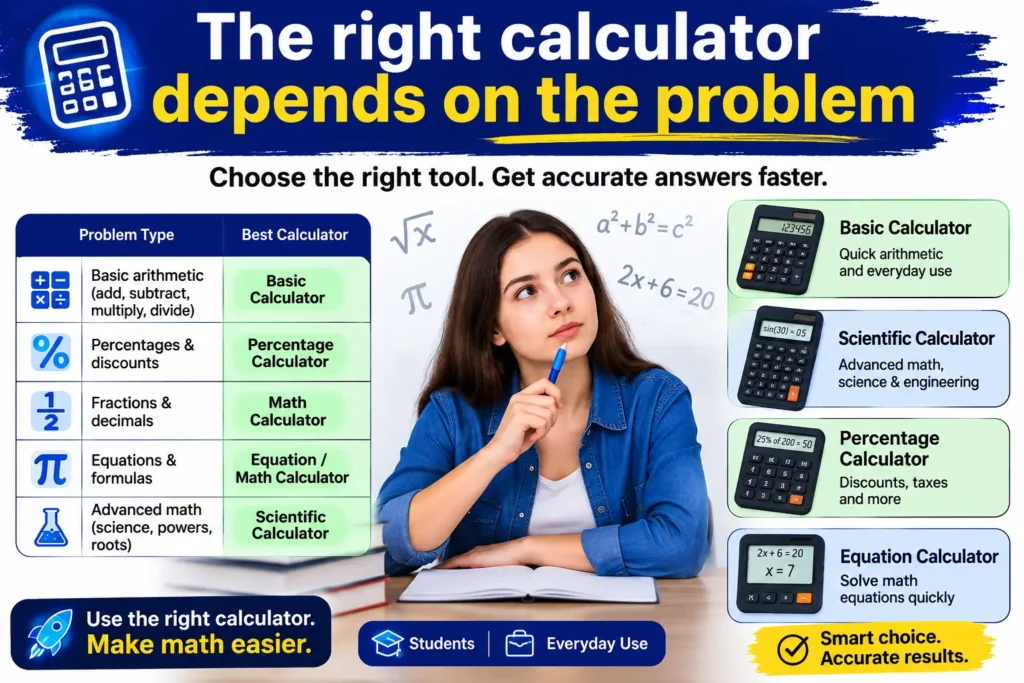
Not every mathematical problem needs the same type of calculator. Choosing the simplest tool that can handle your task usually makes calculations easier to understand and reduces unnecessary complexity.
| Calculation type | Useful calculator |
| Addition, subtraction, multiplication, division | Basic calculator |
| Fractions and decimals | Math calculator |
| Percentages | Percentage calculator |
| Discounts and sale prices | Discount calculator |
| Equations and formulas | Math or equation calculator |
| Scientific calculations | Scientific calculator |
| Everyday bills and estimates | Online calculator |
| Tip and restaurant calculations | Tip calculator |
For schoolwork, a calculator for mathematics should support the operations required by the subject. For everyday use, a straightforward interface may matter more than advanced mathematical functions.
Why an online math calculator is useful for students
Students often spend more time checking calculations than solving the actual problem. A calculator can provide a quick way to verify whether an answer is reasonable and help identify arithmetic mistakes.
For example, suppose a student needs to calculate:
48 × 7.5 = 360
Entering the operation into a math calculator online gives an immediate check. The calculator does not replace understanding the multiplication; instead, it provides confirmation after the student has worked through the problem.
The same approach can be useful for longer calculations. A student might solve a formula by hand and then use a mathematical calculator to check the final value.
This is particularly helpful when calculations involve several operations, decimals, or percentages, where a small arithmetic error can affect the final answer.
Everyday tasks are often easier with a calculator
You do not need to be studying mathematics to benefit from a calculator. Many ordinary decisions involve numbers.
Imagine a jacket costs $80 and the store offers a 25% discount. The discount is:
$80 × 0.25 = $20
The sale price is therefore:
$80 − $20 = $60
A calculator for math problems can make this type of calculation quick, especially when you are comparing several prices.
Other everyday examples include working out:
- A restaurant tip
- A percentage increase in a bill
- A monthly budget
- A price after a discount
- A percentage decrease
- The difference between two amounts
- Travel or household calculations
For these tasks, an online calculator can be more convenient than opening a spreadsheet or installing an app.
What makes a good math calculator?
The best math calculator is not necessarily the one with the largest number of functions. A useful calculator should match the problem while remaining easy to operate.
Clear input and readable results A good interface lets you enter numbers and mathematical symbols without confusion. Results should also be easy to read, especially when calculations contain decimals or multiple operations.
Support for common math operations At a minimum, a useful calculator should handle addition, subtraction, multiplication, and division. More advanced tools may also support percentages, powers, brackets, fractions, and other operations.
Easy access from any device A browser-based online math calculator can be useful because it does not require a separate installation. Students can access it from a computer, tablet, or phone when a browser is available.
Appropriate level of complexity Someone checking a grocery total does not need the same functionality as someone working through advanced mathematics. Too many controls can make simple calculations harder, not easier.
Basic calculator vs. advanced mathematical calculator
The difference between a basic calculator and a more advanced mathematical calculator is mainly the number and type of operations supported.
A basic calculator is ideal for quick arithmetic. It is useful when you need an answer to a straightforward calculation without additional functions.
An advanced calculator may include additional mathematical symbols, powers, roots, percentages, brackets, and functions designed for more complex calculations.
For example:
Basic calculation: 125 + 48 − 16 = 157
More involved calculation: (25 × 4) + (180 ÷ 6) = 130
Both can be solved with ordinary arithmetic, but a calculator with better expression handling can make the second calculation easier to enter accurately. The order in which you calculate matters here — see this explanation of order of operations (PEMDAS) for a clear breakdown of why brackets and exponents are handled before addition and subtraction.
For students, the choice should depend on the mathematics being studied rather than simply choosing the calculator with the most features.
When a math formula calculator makes sense
Formulas often require several values to be inserted into a specific equation. A math formula calculator can be useful for checking the arithmetic after the formula has been set up correctly.
For example, consider the area of a rectangle:
Area = length × width
If the length is 12 cm and the width is 8 cm:
Area = 12 × 8 = 96 cm²
The important part is knowing which formula to use. The calculator performs the numerical operation, but the student still needs to understand why the formula applies.
This distinction matters because a calculator can confirm a calculation, but it cannot automatically teach the underlying mathematical concept.
Using a calculator for equations
Some students search for a math equation calculator when they need help working with equations. For example:
2x + 6 = 20
To solve it manually:
2x = 14 x = 7
A calculator can be useful for checking the final value. Depending on the tool, more advanced calculators may also support equation-related functions directly. If you’d rather see the full working shown out, our guide to using a math calculator with steps walks through exactly that.
For learning, it is usually better to understand the steps first and then use the calculator to verify the result.
Math calculator with symbols: when extra functions help
As mathematical problems become more advanced, ordinary number keys may not be enough. Students may need symbols or functions for powers, roots, brackets, percentages, or other operations.
A math calculator with symbols can make these expressions easier to enter.
For example:
√144 = 12
Or:
5² = 25
The ability to enter mathematical expressions more naturally can reduce the amount of manual rewriting required.
However, advanced features are useful only when they match the user’s needs. For basic arithmetic, they may simply add complexity.
Online calculator or calculator app?
Both browser-based calculators and calculator apps have practical advantages.
An online calculator is convenient when you want to calculate something without installing additional software. It can be especially useful on shared computers or when you need a quick answer.
A calculator app can be convenient for people who perform calculations frequently and prefer an interface designed specifically for mobile use.
For occasional homework checks and everyday calculations, an online calculator is often sufficient. For frequent use or more specialized work, an app or dedicated scientific calculator may be more appropriate.
How to use a math calculator accurately
Even a reliable calculator can produce the wrong result if the input is entered incorrectly. A few simple habits can make calculations more dependable.
Enter the expression carefully Double-check every number, decimal point, and mathematical sign before accepting the answer.
For example, there is a significant difference between:
50 − 20 ÷ 2
and
(50 − 20) ÷ 2
The first expression gives 40 because division is performed before subtraction. The second gives 15 because the brackets change the order of operations. This follows the standard order of operations rules used in arithmetic and algebra.
Use brackets when the order matters Brackets can make your intended calculation clearer and reduce ambiguity.
Instead of entering a long expression without structure, group the parts that should be calculated together.
Estimate before calculating A rough mental estimate gives you a useful way to check whether the final result makes sense.
If you expect an answer close to 100 but your calculator shows 1,000, it is worth checking the input.
Keep units separate When working with measurements, remember that a calculator handles numbers but does not automatically understand every real-world unit.
For example, if you calculate an area, the final answer should include the correct square unit, such as cm² or ft².
A calculator should support learning, not replace it
One of the most important considerations for students is how the calculator is used.
A student who enters every problem immediately may get the answer without understanding the process. A more effective approach is:
Understand → Solve → Calculate → Check
First identify the mathematical concept. Then work through the problem manually where appropriate. Use the calculator to verify the arithmetic, and compare the result with your expected answer.
This method is especially helpful for formulas, percentages, equations, and multi-step calculations.
Common situations where a math calculator helps
A calculator can be useful across a surprisingly broad range of tasks.
School assignments Students can check arithmetic, decimal calculations, percentages, formulas, and other numerical work.
Shopping Calculate discounts, sale prices, price differences, or percentage changes.
Personal budgeting: Add expenses, compare totals, and calculate how much remains from a budget.
Dining out: A tip calculation can be completed quickly without manually working through the percentage.
Quick: numerical calculations can save time when reviewing quantities, estimates, or simple business figures.
Everyday planning: From dividing costs between people to calculating percentages and totals, a simple calculator can handle many small decisions.
When a basic calculator is better
More features do not automatically mean a better experience.
A basic calculator may be the better option when you only need:
- Addition and subtraction
- Multiplication and division
- Simple percentages
- Quick totals
- Basic price calculations
For these tasks, simplicity helps you enter information quickly without searching through unnecessary functions.
When you may need a scientific calculator
A basic calculator has limits. Students studying more advanced mathematics, science, or engineering may need functions such as trigonometry, logarithms, exponents, and other specialized operations.
In those situations, a scientific calculator can be more appropriate than a basic online tool.
The key is to choose a calculator based on the problem rather than assuming that the most advanced option is always the best choice.
A practical way to choose the best calculator
Before choosing a calculator, ask three questions:
- What am I calculating? Identify the type of problem first.
- How often will I use it? An occasional calculation may only require a browser-based tool, while frequent work may justify a dedicated app or calculator.
- Do I need advanced functions? If the answer is no, a simpler calculator may be easier and faster.
For most everyday calculations and routine schoolwork, a clear math calculator online can provide enough functionality without unnecessary complexity.
One useful Rapid Tool Plus option for everyday calculations
For quick calculations in a browser, Rapid Tool Plus provides an online calculator designed for common numerical tasks. It can be useful when you need a basic calculator for everyday arithmetic or an online calculator tool for quick calculations without switching to a separate application. The same site also offers other calculator-related resources, so users can choose a tool according to the type of calculation they need.
A few mistakes worth avoiding
Using a calculator is straightforward, but these mistakes are common enough to remember.
Entering the wrong number: A calculator can only work with the numbers you provide.
Ignoring order of operations: An expression can produce a different result when brackets are added or removed.
Forgetting units: A numerical answer without its correct unit may be incomplete.
Assuming the calculator explains everything: A result is not the same as an explanation. Students should still understand the method behind the calculation.
Using an advanced calculator for simple work: Extra features are not useful when the task only requires basic arithmetic.
Final takeaway
The best math calculator is the one that fits the calculation in front of you. Students may need support for formulas, equations, percentages, and more detailed mathematical expressions, while everyday users often need a fast way to handle prices, budgets, tips, and basic arithmetic.
An online calculator is especially convenient when you want quick access without installing software. For learning, the most effective approach is to understand the mathematics first and use the calculator as a way to perform or verify the numerical work.
Whether you need a simple calculation or something more involved, choosing a calculator that matches the problem will make the process faster, clearer, and less error-prone.
FAQs
What is the best math calculator for students?
The best option depends on the student’s subject and level. A basic calculator is enough for ordinary arithmetic, while more advanced mathematics may require additional functions such as powers, roots, or scientific operations.
Can I use an online math calculator for homework?
Yes. An online calculator can be useful for checking calculations and verifying answers. Students should still understand the formulas and steps required to solve the problem.
What can a mathematical calculator calculate?
Depending on the tool, it may handle arithmetic, percentages, decimals, formulas, powers, roots, equations, and other mathematical operations.
Is an online calculator better than a calculator app?
Neither is automatically better. An online calculator is convenient without installation, while an app can be useful for frequent mobile use. The better choice depends on how and where you calculate.
Can a calculator solve every math problem?
No. A calculator can perform numerical operations, but many mathematics problems require interpretation, reasoning, formulas, or proof that cannot be reduced to simply entering numbers.
Should students always use a calculator?
Not necessarily. Calculator-free practice can help develop arithmetic skills and mathematical understanding. A calculator is most useful when it supports learning, checks work, or handles calculations that would otherwise be time-consuming.