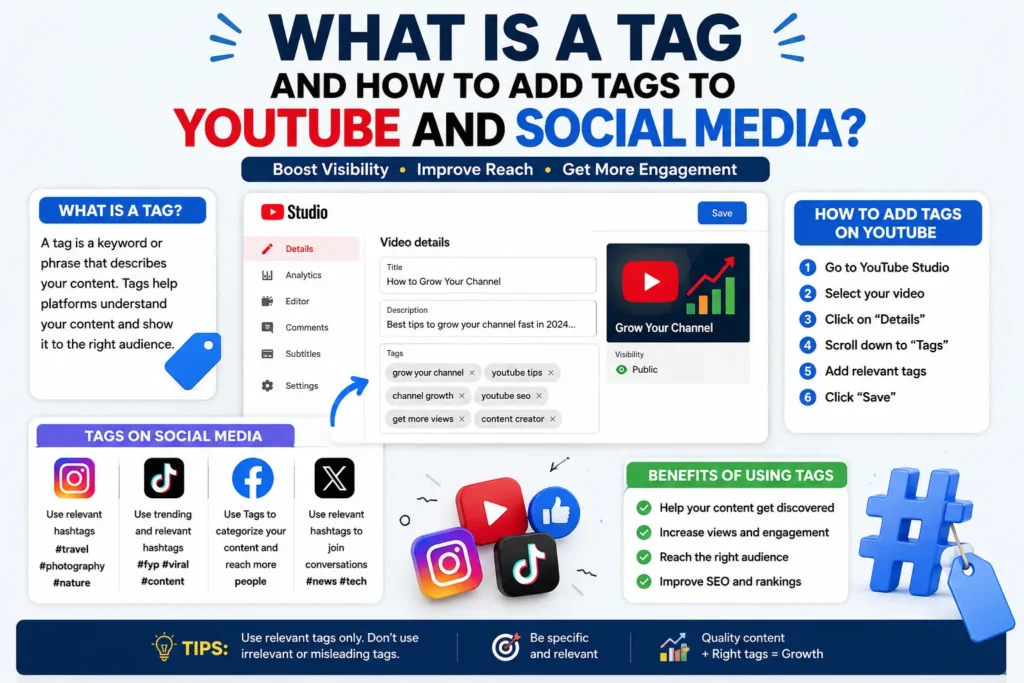
If you’ve ever uploaded a video or written a caption and wondered why some content shows up in search and recommendations while similar content disappears, tags are usually part of the answer. A tag is a short piece of metadata attached to your content that tells a platform’s algorithm what your video, post, or page is actually about. This article explains what tags are, how they work differently across YouTube, Instagram, TikTok, and other platforms, and how to write ones that actually help your content get discovered.
What Is a Tag?
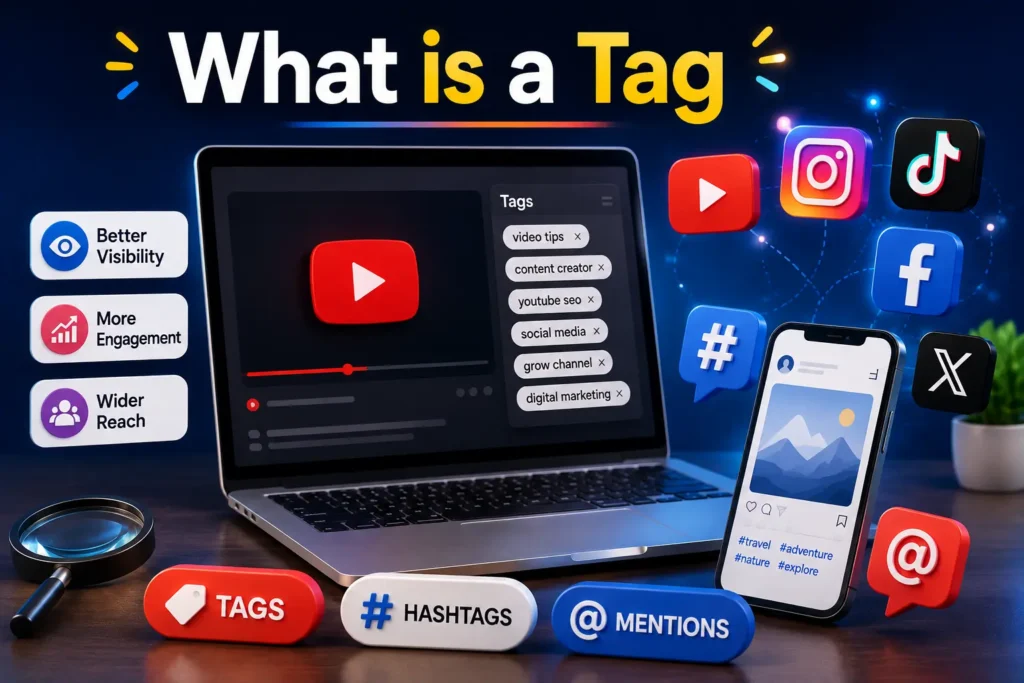
A tag is a keyword or short phrase attached to a piece of content — a video, image, post, or webpage — that describes its subject matter to a platform, a search engine, or another user. Tags aren’t visible text in the same way a caption is; they work in the background as metadata that algorithms read to classify and match content with the right audience.
There are three broad categories worth knowing:
- Platform tags — keywords added to YouTube videos, TikTok posts, or Pinterest pins that help the platform’s internal search and recommendation system understand the content.
- Hashtags — tags prefixed with # on platforms like Instagram, TikTok, and X, which double as clickable, browsable categories for users.
- Technical/SEO tags — HTML elements like title tags, meta tags, alt tags, and canonical tags that help search engines like Google understand and rank a webpage.
These three types are often confused because they share the word “tag,” but they serve different systems and follow different rules, which is why a strategy that works for YouTube tags won’t necessarily help an Instagram hashtag.
How Tags Work on Different Platforms
YouTube Tags
YouTube tags are added in the video upload settings, in a section separate from the title and description. They’re not shown publicly, but YouTube’s system uses them as one signal — among many, including watch time, click-through rate, and description text — to understand the topic of a video and where it might fit in search results or the “Up Next” panel.
A common misconception is that tags are the primary driver of YouTube rankings. In practice, they play a supporting role. YouTube’s algorithm weighs viewer engagement far more heavily than any single metadata field. Tags mainly help in two specific situations: correcting misspellings of your main keyword, and clarifying context when a video’s subject could be ambiguous (for example, distinguishing a video about “python” the programming language from “python” the animal).
Good YouTube hashtag typically include:
- Your primary keyword, entered exactly as viewers would search it
- A few close variations or synonyms
- Broader category terms (e.g., a cooking channel might tag “recipe” or “cooking tutorial” alongside the specific dish name)
- Common misspellings of brand or product names, if relevant
Instagram and TikTok Hashtags
On Instagram hashtags and TikTok hashtags function differently from YouTube tags because they’re user-facing. People can tap a hashtag and browse everything posted under it, which makes hashtags part discovery tool and part community label.
The most effective approach is mixing hashtag sizes rather than only chasing the biggest ones. A tag with millions of posts is competitive and your content disappears within minutes; a smaller, niche-specific tag gives your post a longer shelf life in that category. A reasonable mix is a couple of broad tags, several mid-size niche tags, and one or two very specific ones tied to your exact content.
Facebook, X, LinkedIn, and Pinterest
Facebook tag and X tag work similarly to Instagram’s, though both platforms tend to reward fewer, more relevant tags over long lists. LinkedIn hashtags are typically topic- or industry-based and perform best when they match how professionals in that field actually search. Pinterest tag , meanwhile, blends hashtags with strong keyword-rich pin titles and descriptions, since Pinterest functions closer to a visual search engine than a social feed.
SEO Meta Tags for Websites
Outside of social platforms, “tag” also refers to HTML elements search engines use to understand a webpage:
- Title tag — the clickable headline shown in Google search results
- Meta description — the short summary beneath the title tag
- Alt tag — descriptive text attached to an image, used for accessibility and image search
- Canonical tag — tells search engines which version of a page is the “master” copy when duplicate content exists
- Hreflang tag — signals which language or region a page targets
These are written directly into a page’s HTML rather than chosen from a menu, and they matter for organic search visibility rather than social discovery.
Choosing the Right Tags: A Practical Strategy
Rather than guessing, build your tag list around three questions: What would someone type to find this exact content? What broader category does it belong to? And what related terms would someone use if they didn’t know the exact name for what they’re looking for?
For a video about “how to bake sourdough bread at home,” for example, useful tags might include the exact phrase, “sourdough recipe,” “bread baking for beginners,” and “homemade bread.” Avoid tags that have nothing to do with your content just because they’re popular — mismatched tags can hurt trust signals and, on some platforms, are treated as a policy violation.
Manually researching tag variations across multiple platforms is time-consuming, which is why many creators use a tag generator to speed up the process. Tools like Rapid Tool Plus offer free tag generators built specifically for YouTube, Instagram, and TikTok, alongside a broader set of creator tools covering title generation, hashtag research, and metadata optimization. Instead of manually brainstorming variations for every upload, a generator can quickly surface relevant, high-traffic tag options based on your topic, which you can then refine to match your specific content.
Common Mistakes to Avoid
Tag stuffing. Adding dozens of loosely related or irrelevant tags doesn’t trick the algorithm — most platforms are built to detect and discount this, and it can actively hurt discoverability.
Copying a competitor’s exact tag list. Their audience, upload history, and engagement patterns are different from yours, so their tags won’t automatically work for your content.
Using only broad tags. Broad tags have the most competition. Without a mix of niche, specific tags, your content gets buried under thousands of similar posts.
Ignoring platform-specific rules. A tag strategy built for YouTube won’t transfer directly to TikTok, and treating them identically wastes the unique strengths of each platform.
Forgetting to update tags over time. Trends and search behavior shift. Reviewing and refreshing tags on evergreen content periodically can extend its discoverability.
Practical Tips
- Front-load your most important tag first — some platforms weight earlier tags more heavily.
- Keep tags relevant to the actual content; irrelevant tags can lead to lower distribution or content flags.
- Use a mix of specific, niche, and broad tags rather than relying on one type.
- Check tag performance over time where analytics are available, and drop tags that aren’t contributing to views or reach.
- For websites, pair strong meta tags with genuinely useful on-page content — tags support good content, they don’t replace it.
Final Takeaway
Tags aren’t a shortcut to going viral, but used correctly, they remove unnecessary friction between your content and the people searching for it. The core principle is the same across every platform: describe your content accurately, mix broad and specific terms, and avoid treating tags as a substitute for quality content. Tools like a tag generator can speed up research, but the final judgment on relevance should always come from understanding your actual audience.
Frequently Asked Questions
Do YouTube tags still matter in 2026? They still play a minor supporting role, mainly for clarifying topic context and catching misspellings, but they have far less impact on rankings than watch time, click-through rate, and audience retention.
How many hashtags should I use on Instagram? There’s no single “correct” number, and Instagram has adjusted its guidance over time. Focus on relevance over quantity — a smaller set of well-matched hashtags generally outperforms a long list of loosely related ones.
What’s the difference between a tag and a keyword? A keyword is a term people search for. A tag is metadata you attach to content, and it often includes keywords, but not every keyword needs to become a tag — it depends on the platform and context.
Can using the wrong tags get my content penalized? Consistently irrelevant or misleading tags can reduce distribution or, on some platforms, trigger content review. Sticking to tags that genuinely describe your content avoids this risk.
Is a free tag generator accurate enough to rely on? A tag generator is a good starting point for surfacing relevant terms and variations quickly, but it works best when you review and adjust suggestions based on your specific content and audience rather than using the output unedited.
Do alt tags help with SEO? Yes — alt tags help search engines understand images, which can improve accessibility and visibility in image search results, though they aren’t a primary ranking factor for the page itself.